
You get home from work, collapse on the sofa, and realise you missed the show everyone has been talking about. With Freeview, that is just tough luck. With IPTV catch up in the UK, it is not a problem at all. Hit rewind, scroll back through the last seven days, and watch whatever you missed as if it were live.
IPTV catch up is one of the most underrated features in modern television. It works like a cloud DVR that you never have to set up, never have to record anything on, and never runs out of space. If you are using IPTV in the UK and you are not taking advantage of catch up, you are missing half the point.
What Is IPTV Catch Up and How Does It Work?
IPTV catch up is a feature where your provider automatically records channels on their servers. You do not need to press record. You do not need a hard drive or a set-top box with storage. Everything is stored in the cloud on the provider’s end.
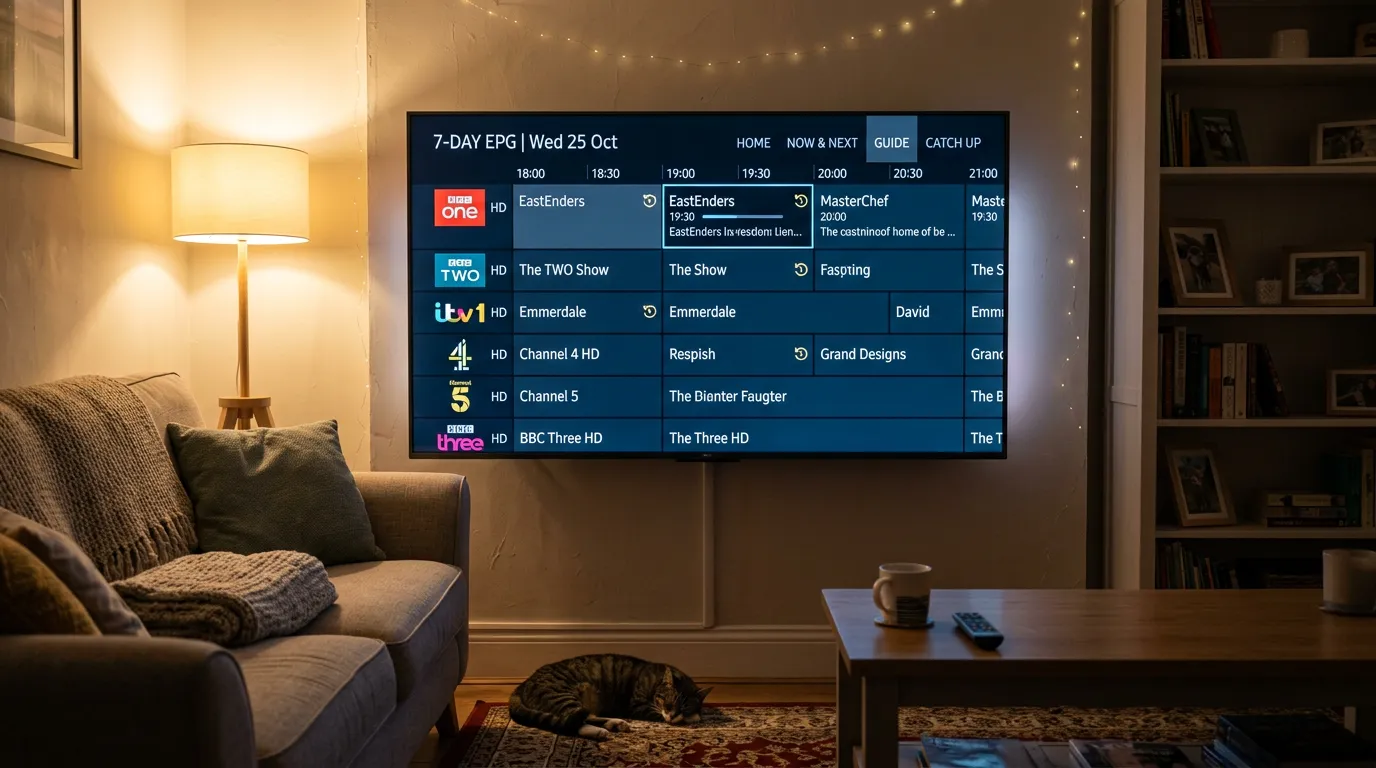
When you open your IPTV app and scroll backwards through the EPG, you will see programmes that have already aired — usually going back seven days. Click on any of them and it streams instantly, exactly as if you were watching live. You can pause, rewind, and fast forward just like any on-demand service.
The key difference between IPTV catch up and services like BBC iPlayer is coverage. iPlayer only has BBC content. ITVX only has ITV content. IPTV catch up covers hundreds of channels across every genre and every broadcaster — all in one place, through one app, on one screen.
Which Channels Offer Catch Up on IPTV?
Not every channel has catch up. The feature is typically available on the most popular channels — the ones people actually watch and are most likely to miss something on.
Most quality UK IPTV providers include catch up on all major UK channels: BBC One, BBC Two, ITV, Channel 4, Channel 5, Sky Sports, TNT Sports, Sky Cinema, and many entertainment channels. Some providers extend catch up to international channels as well, but the UK lineup is usually the most comprehensive.
The number of catch up channels varies by provider. Budget services might offer catch up on fifty to a hundred channels. Premium services can offer it on two hundred or more. This is one of the key differences between cheap IPTV and quality IPTV — and it is worth asking about before you subscribe.
For a full breakdown of what channels are available through IPTV in the UK, see our IPTV channels UK guide.
How to Use Catch Up on Your IPTV App
TiviMate
Open TiviMate and navigate to the channel you want. Scroll left on the EPG to go back in time. Any programme with a small clock or recording icon next to it supports catch up. Click on it and select Play. The stream will start from the beginning of that programme.
IPTV Smarters Pro
In Smarters, go to the Live TV section and select a channel. Look for a Catch Up or TV Archive button — it is usually visible in the channel options. Browse by date and time to find the programme you missed.
Smart IPTV
Smart IPTV on Samsung and LG TVs supports catch up if your provider’s playlist includes the necessary archive URLs. Navigate to the channel, press the info or options button on your remote, and look for an Archive or Catch Up option. For a full guide to IPTV apps and which works best on each device, see the IPTV apps UK guide on IPTV Review UK.
Not All Providers Offer Proper Catch Up
This is where a lot of UK viewers get caught out. They subscribe to a cheap IPTV service expecting full catch up across all channels, only to discover that catch up is either broken, limited to a handful of channels, or not available at all.
The problem is almost always server cost. Recording and storing seven days of content across hundreds of channels requires massive server infrastructure. Budget providers simply cannot afford it, so they either skip the feature entirely or offer a stripped-down version that barely works.
If catch up is important to you — and for most UK viewers it absolutely should be — Golden TV is one provider that actually delivers it properly. Their catch up covers all major UK channels with a full seven-day window, and it works cleanly in TiviMate and Smarters without any extra configuration. Message them on WhatsApp to try it.

Catch Up vs VOD — What Is the Difference?
People often confuse IPTV catch up with video on demand. They are different things.
Catch up is a time-shifted recording of live TV channels. It captures whatever was broadcast on a channel and lets you rewind to watch it within a set window — usually seven days. After that window closes, the content is gone.
Video on demand is a separate library of films, series, and box sets that your IPTV provider makes available for you to browse and watch at any time. VOD content does not expire in seven days — it stays in the library until the provider removes it.
A good IPTV service gives you both. Live channels for real-time viewing, catch up for anything you missed in the past week, and VOD for films and binge-watching. Together, they replace every traditional TV service and streaming subscription you currently pay for. If you want to understand how IPTV compares to traditional options, our friends at Best IPTV Provider In UK have a great IPTV vs Sky TV comparison.
Frequently Asked Questions
How far back can I go with IPTV catch up?
Most UK IPTV providers offer a seven-day catch up window. Some premium services extend this to fourteen days on selected channels. Always check with your provider before subscribing.
Do I need to record anything for catch up to work?
No. Your IPTV provider records everything on their servers automatically. You just scroll back through the EPG and select what you want to watch. No setup required on your end.
Does catch up work on Firestick?
Yes. Apps like TiviMate and IPTV Smarters Pro fully support catch up on Firestick. The feature works identically to how it works on smart TVs and Android TV boxes. For Firestick-specific setup, see the best IPTV for Firestick UK guide.
Can I pause and rewind catch up content?
Yes. Catch up content behaves like on-demand video. You can pause, rewind, fast forward, and resume at any point.
Is catch up available on all IPTV channels?
No. Catch up is typically available on the most popular channels — usually between fifty and two hundred depending on your provider. Less popular or niche channels may not have catch up support.
Does catch up use more internet data than live TV?
No. Catch up streams use the same bitrate and quality as live TV. There is no additional data cost compared to watching the channel live.
Final Thoughts
IPTV catch up in the UK transforms how you watch television. No more rushing home for a programme. No more setting reminders or messing with recording schedules. Everything is there waiting for you, seven days deep, across every major channel.
Just make sure the provider you choose actually delivers proper catch up — not a half-broken version with ten channels and a two-day window. Ask before you pay.
For more on choosing the right service, see our IPTV vs Virgin Media comparison and our UK sports channels on IPTV guide.
This website is for informational purposes only. We may recommend third-party services based on user feedback and testing. All trademarks belong to their respective owners.